For estate agents
Shop window display: your listings on the TV in your window, automatically
Large, calm and readable from the pavement. With your own logo and colours, a QR code per property and six layouts. Nothing needs to be entered.
Free to set up. You only pay when a screen goes live. Try it free in your dashboard
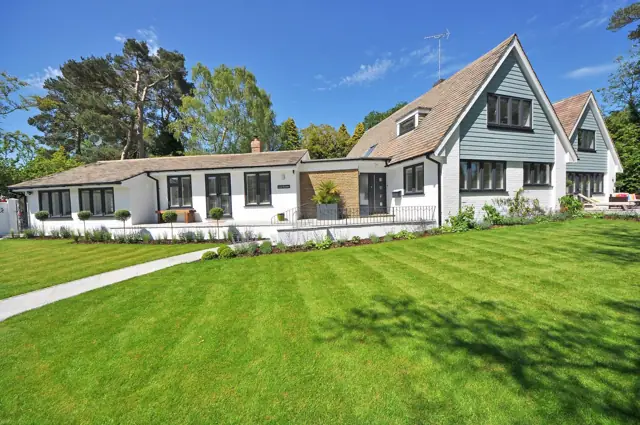
Real example with fictional properties. Photos: Pexels.
How it works
- 1
Connect your listings
Eazlee fetches your listings from your website and all your connections, such as Pararius Office. Nothing to retype.
- 2
Pick your style
Under My screens choose a layout, your colours, your logo and what appears on screen. You get a private, secret link.
- 3
Put the link on the TV
Open the link on a Chromecast, Fire TV Stick or smart TV and switch to full screen. No login needed. New properties appear automatically.
What you get
Automatic from all your connections
Properties from your connections and your own Eazlee properties, exactly as on your website. Sold and let get a label and disappear after the period you choose.
QR code with scan counts
Every property has a real QR code to its page on your website. You see per screen and property how often it was scanned, without personal data.
Featured property
A featured property gets more photos in a row and comes back more often, in every layout.
Your own style
Your logo, colours and fonts, your own text slide and a night mode outside opening hours.
Multiple screens
One screen for the window, an upright one by the entrance, one for sale and one for rent. Each with its own settings.
No extra device needed
Apart from a Chromecast, Fire TV or smart TV you need nothing. The screen keeps running if the internet drops for a while.
Six layouts
AFull screen
One large photo with a slow zoom and a glass bar with address, price and QR code.
BSplit
Photo on the left, a panel in the office colour with price, features and QR code on the right.
CGrid
Four properties at once that slowly move one place along.
DMagazine
Three photos of one property with magazine type on a light background.
EPortrait
For a screen mounted upright (9:16): photo on top, details below.
FPhoto show
Several photos per property in a row with soft transitions; the address and price bar stays in place.
QR code per property
Every slide shows a real QR code. Whoever scans it goes through a short link to the property page on your own website. In My screens you see how often each screen and property was scanned, without personal data.
Scan this code with your phone: you open the demo, just like a passer-by opens a property.
In your own house style too
Pick ready-made styles or set colours, fonts, logo and text size yourself. In the demo you see straight away what happens.
Price
First screen
€19.95 per month
Each extra screen
€9.95 per month
Prices exclude VAT. Free to set up: you only pay when a screen goes live. All layouts, QR codes, text slide and schedule included.
Frequently asked questions
Which TV do I need?
No special TV. Any TV with a Chromecast, a Fire TV Stick or a smart TV with a modern browser works. You open the link in full screen. You only need an extra device if your TV has no browser of its own.
Can I choose the photos myself?
Yes. Per screen you decide which photos a property shows, in which order, and you can exclude photos such as floor plans. The photos in your connection or website stay unchanged. Featured properties get more photos in a row.
Does it work without a website?
Right now the shop window display uses the listings of your Eazlee website or workspace. Connecting Pararius and entering listings yourself without a website are coming soon.
What does it cost?
The first screen costs €19.95 per month and each extra screen €9.95 per month, excluding VAT. Setting up is free and you only pay when a screen goes live.
Can someone else see my screen?
Only someone with the long secret link. It only shows what is public on your website anyway. You can renew or revoke the link at any time; the old link stops working immediately.
Is the screen mounted upright?
Choose Portrait (layout E). If your device outputs landscape, the page rotates the picture a quarter turn itself.